
Create a dashboard
A dashboard is a collection of charts, and every chart is built on a dataset. In this step you load Superset’s example datasets and charts, then assemble a few of them into your first dashboard.
Load the example data
The charm can load Superset’s example datasets, charts, and dashboards for you:
juju config superset-k8s load-examples=True
The charm restarts the workload to load the data, which takes a few minutes. Wait until the unit is active again with the message Status check: UP:
juju status --watch 2s
Note
Keep this option enabled only for experimentation. Set it back to False once
you are done: the examples are re-imported on every workload restart, which
slows down startup.
Explore the UI
Reload Superset in your browser. The home page now lists the example dashboards, charts, and saved queries:
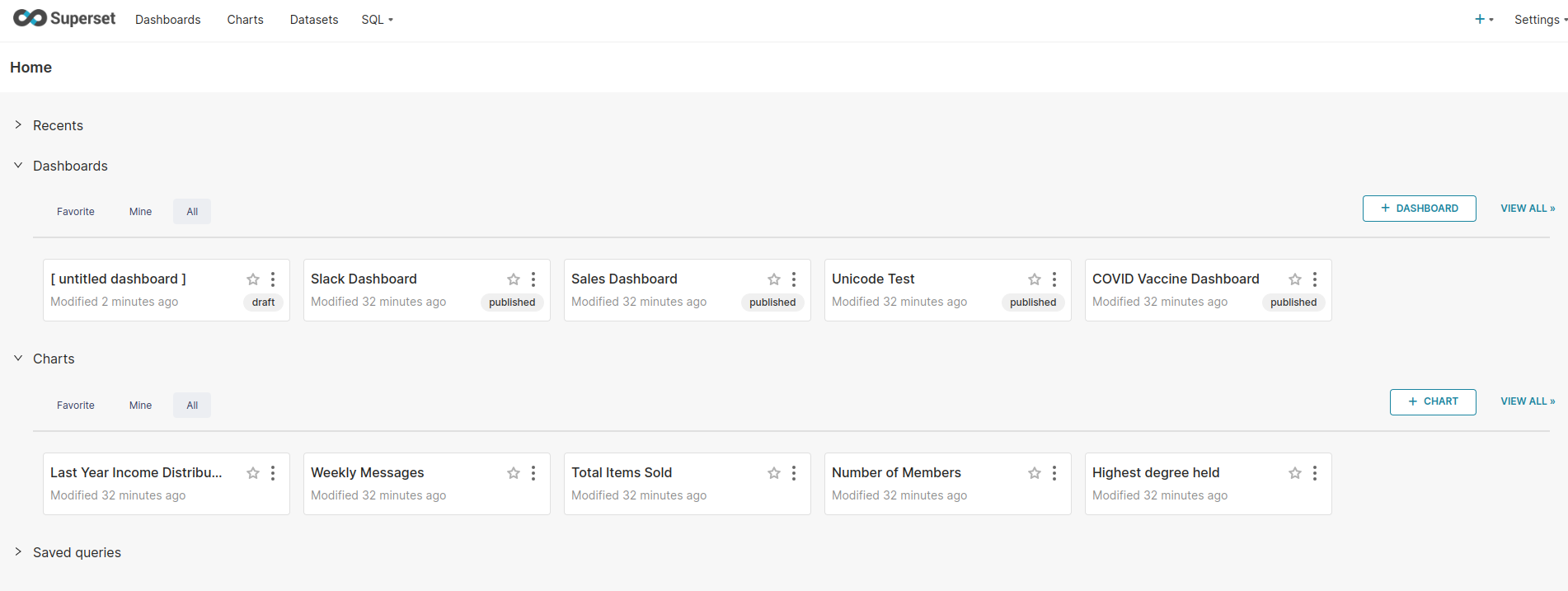
The main sections are:
Dashboards: collections of charts, with filters shared across them.
Charts: individual visualizations, each bound to one dataset.
Datasets: tables and saved queries exposed by a database connection.
SQL: SQL Lab, where you write queries directly against a connected database.
Build a dashboard
On the home page, select + Dashboard. This opens a new draft dashboard.
Select Edit dashboard, then drag three of the example charts from the panel on the right onto the canvas.
Give the dashboard a name, for example
Example dashboard.Select Save.
Select the Draft label next to the title to publish the dashboard.
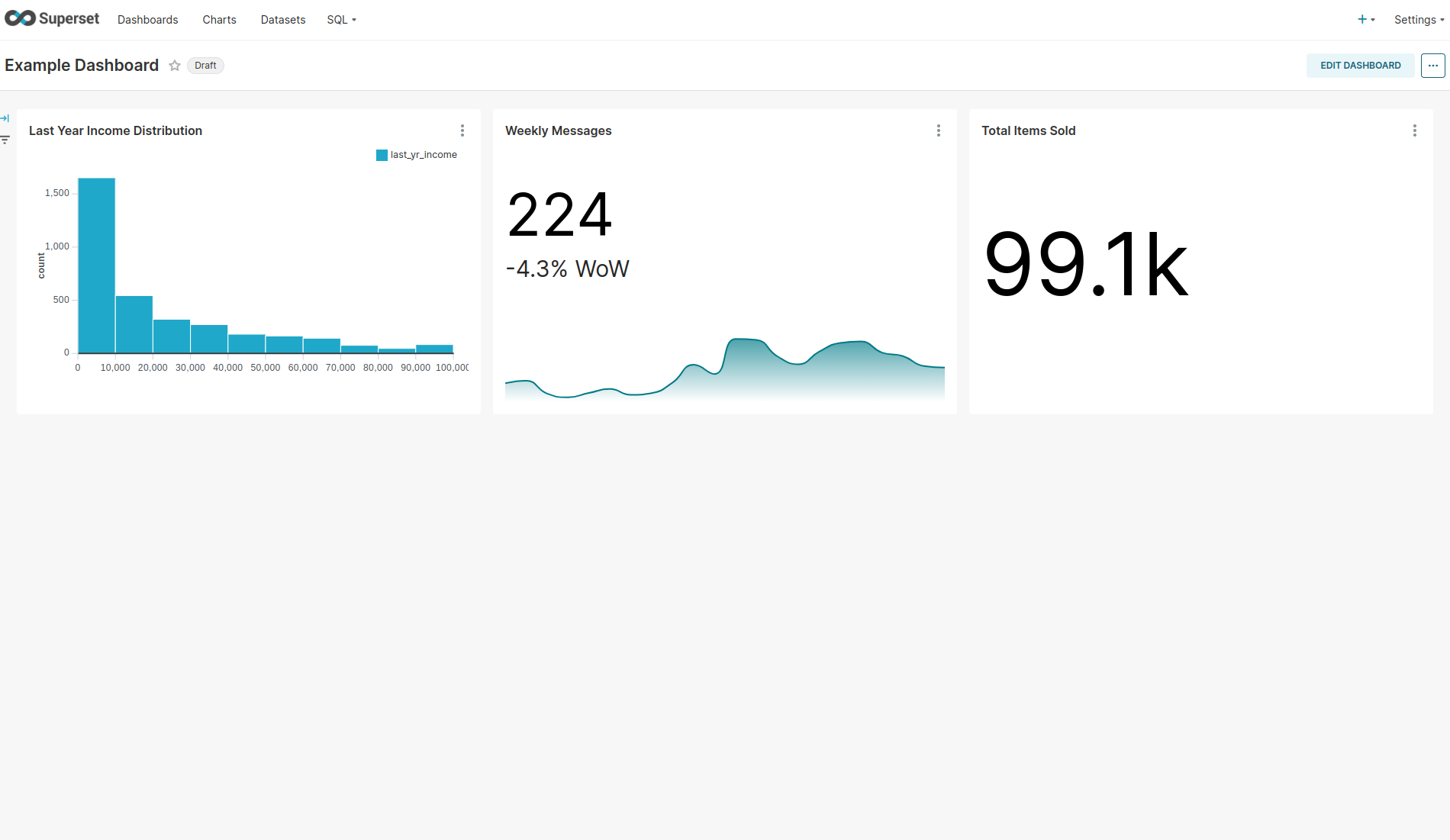
Your dashboard is now published and appears under Dashboards for every user with access to it.
What to try next
The example data comes from Superset’s built-in examples database. In a real deployment, you connect Superset to your own data instead, either by adding a database connection in the UI or, in the Canonical Data Mesh, by integrating Superset with Trino so that every Trino catalog becomes a Superset database connection automatically. See Integrate with Trino.
When you are finished, continue to clean up.