
Ingest metadata from a database
An empty catalog isn’t much to look at. In this step you create a small PostgreSQL database with a demo table, then use DataHub’s UI-based ingestion to pull its schema into the catalog.
Create a demo database
The PostgreSQL application from the earlier steps can serve regular databases alongside DataHub’s metadata store. Use the Data Integrator charm to create a database and credentials for it.
Deploy it in the machine model and integrate it with PostgreSQL:
juju switch lxd:datahub-vm

juju deploy data-integrator --config database-name=demo
juju integrate data-integrator postgresql
Once both applications are active, retrieve the credentials:
juju run data-integrator/0 get-credentials
Note the username, password, and endpoints values from the postgresql section of the output.
Add a demo table
Install the PostgreSQL client and create a table in the new database, replacing the placeholders with the values from the previous command:
sudo apt-get install -y postgresql-client

psql "postgresql://<USERNAME>:<PASSWORD>@<ENDPOINTS>/demo" -c "CREATE TABLE customers (id SERIAL PRIMARY KEY, name TEXT NOT NULL, email TEXT, created_at TIMESTAMP DEFAULT now());"
Create a data source in DataHub
Back in the DataHub UI:
Select Data Sources, under Admin, in the left navigation sidebar. The page is titled Manage Data Sources.
Click Create new source and choose PostgreSQL.
Fill in the connection details:
Host and Port: the
endpointsvalue, for example10.108.29.12:5432Database:
demoUsername and Password: the credentials from the Data Integrator
Click Next, keep the default schedule settings, and give the source a name, for example
demo-postgres.Click Save & Run.
The run appears under Run history with status Pending, then Running. After a minute or two it reports Succeeded.
Note
The ingestion runs inside the datahub-actions container, which must be able
to reach the database address. In this tutorial both clouds live on the same
host, so the Kubernetes pods can reach the LXD network directly.
Explore the catalog
Type customers in the DataHub search bar. The table appears as a dataset with:
The full column schema, types, and keys
The
demodatabase and schema hierarchy for browsingA place to add descriptions, owners, tags, and glossary terms
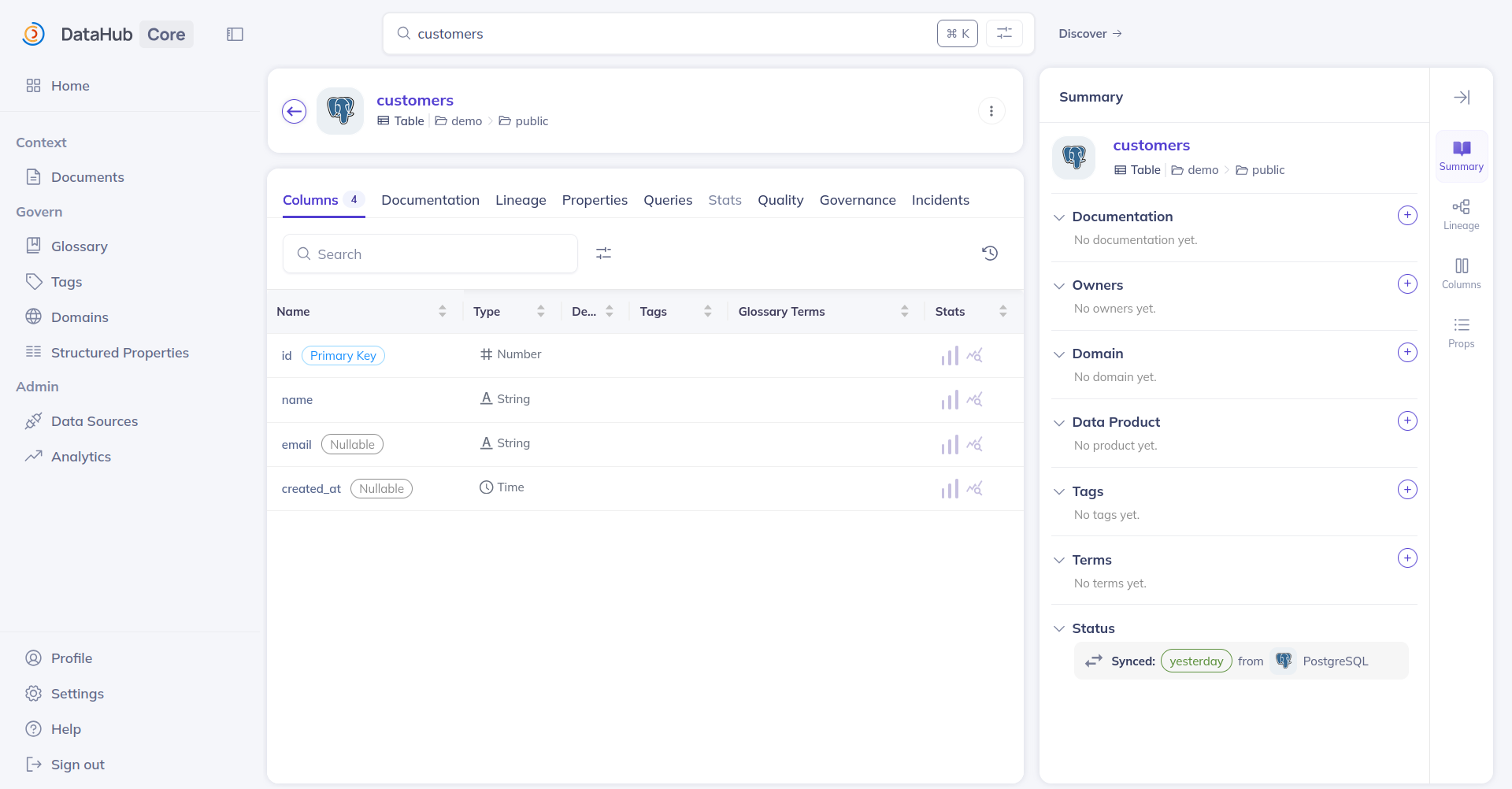
You have a working metadata catalog. The same flow applies to any PostgreSQL, and other connector types are available on the same page. For automatic, charm-managed ingestion of Trino catalogs, see Integrate with Trino.
Continue to clean up.